Controller mapping
Pick a Target Armature, fill the five body chains, and calibrate the T-pose. That's it. You can now generate animations for this character.

Blaze Puppeteer turns blocked poses, prompts, and trajectory guides into rig-native character motion inside Blender. Generate locally, shape the result with animator controls, and keep editing on the rig you already use.
Map Rigify, Auto-Rig Pro, CloudRig, Mixamo, or custom rigs once, then generate directly on the controllers you already use.
Pick a Target Armature, fill the five body chains, and calibrate the T-pose. That's it. You can now generate animations for this character.
Each generated motion, and the variations or loops derived from it, is managed in the History section for that armature.
A prompt sets the motion intent, while Anchors, Waypoints, Dense Path, and timing controls add the shot-specific direction. Each generation run can produce a fresh take from those inputs; the Variation tool is a separate refinement step based on a saved History motion.
Mark full-body, hands, feet, or individual end-effector Anchors, then generate the motion between them.
Use Anchors to hold important poses, Waypoints or Dense Path to steer root motion, and Prompt Sequencer to time text prompts across the shot.
Badges, Ghost overlays, and Prompt Sequencer colorbands make authored controls visible while you work.
Badges mark constrained frames in the timeline and viewport. Ghost overlays show the saved pose so you can read the constraint setup at a glance.
Prompt Sequencer strips use Blender's Video Sequencer timing and colorbands, making multi-prompt motion easy to scan and adjust.
Generated motions are managed in History. From there you can create variations, extend or shorten a motion, make a loop, then use PostPro for Root Extraction or Unbaking.
Select a saved motion in History and generate a related variation from it.
There are no hidden costs for the local workflow. Without logging in or spending credits, you can use Rig Setup, Text to Motion with Preset Prompts, Inbetweening, Waypoints, Dense Path, History, and PostPro. Custom Prompts are optional inside Text to Motion. The addon includes the local Kimodo runtime setup flow; Motion Refinement is the only section that depends on cloud processing.

Credits are only used when you choose Custom Prompts or Motion Refinement. A Custom Prompt costs credits only for the first text embedding request; after that, the prompt is saved locally and can be reused without spending credits again. The preset prompt library is sufficient for most shots when combined with Anchors, Waypoints, Dense Path, and Prompt Sequencer, and it will keep expanding every month to reduce reliance on Custom Prompts.
Use the local workflow by default, and choose cloud processing only for the optional services below.
The Blaze Puppeteer robot character shown below is included with the addon, so you can test Rig Setup and motion generation immediately.
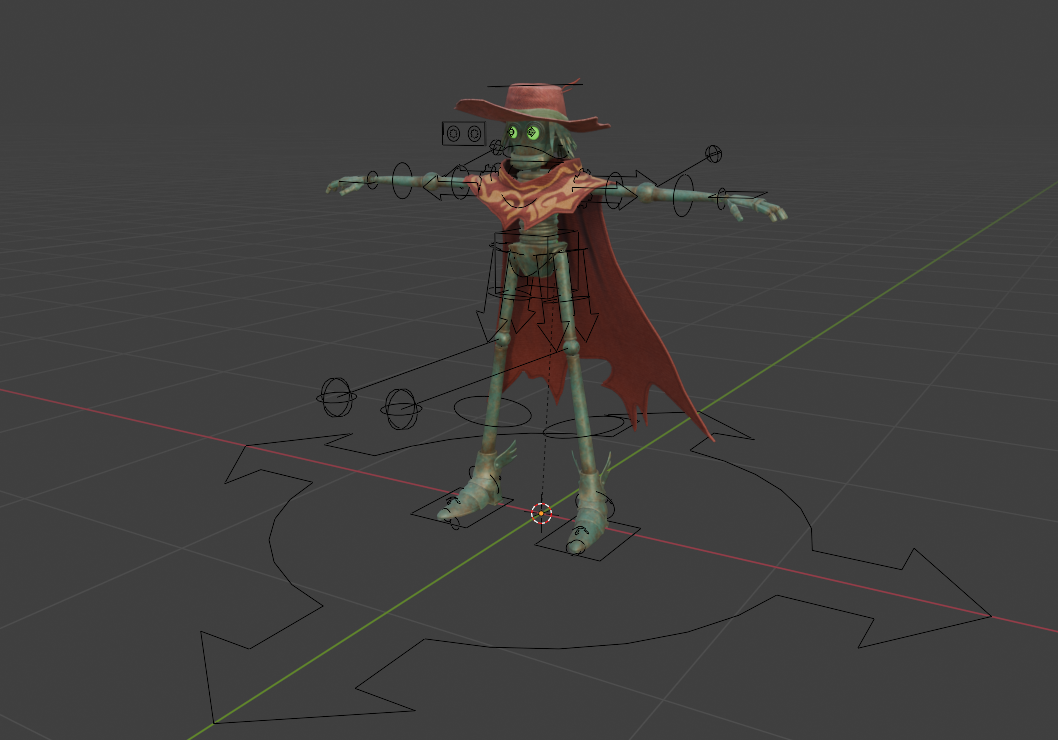
Use the included character to try the workflow before mapping your own rig. Third-party characters shown in some demo footage are not bundled.
Blaze Puppeteer gives you prompts, Anchors, Waypoints, Dense Path, Prompt Sequencer, History, and PostPro so you can direct the result frame by frame. It is a tool for animation control, not a replacement for the animator.
Motion generation is powered by NVIDIA Kimodo. The included demo character is Blaze Puppeteer's robot character. Other demo footage may show third-party characters such as Mixamo, Mike rigged with Auto-Rig Pro, and Rain Rig (CC-BY) Blender Foundation | studio.blender.org.
Documentation: docs.blazeanimation.comNVIDIA Kimodo project referenceHelp and Support are also available inside Blaze Puppeteer.